
Website Design Mistakes That Hurt Conversions
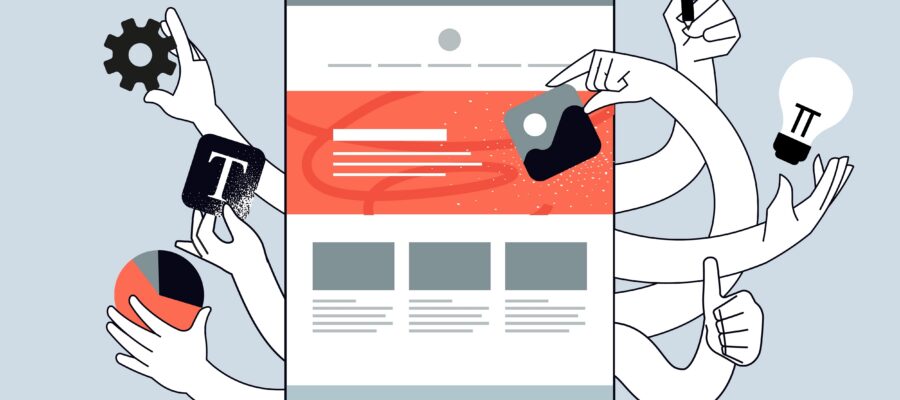
Small business websites can feel almost like digital brochures sometimes: Sleek. Pretty. Important enough to devote some attention and money to, but they’re not going to actively help or hurt your business on a daily basis… Until it happens to you.
Your website is a living, breathing member of your sales team. While you sleep, it either earns leads for you, or converts visitors into paying customers. But when your site is riddled with common website design mistakes, it actually pushes those potential customers into your competitors’ shopping carts.
You notice your traffic is slowing down, or maybe your lead funnel hasn’t grown in a while. Do you hire more advertisers? Pump out more social media posts? Throw more cash at Google Ads?
It may not be caused by a lack of digital advertising — it could be your site itself. Potential clients visit your site with a goal in mind, and if they hit friction anywhere along the way, they leave.
It’s important to approach website design from your visitors’ point of view. Imagine you’re visiting a website for the first time. You’re short on time, you’re searching for a solution to your specific problem, and you don’t have any brand loyalty yet. That means you have zero patience for a confusing or frustrating online experience.
It’s your job as the website owner to make sure the process is easy, pleasant, and friction-free.
How Website Design Mistakes Reduce Conversions
Website design mistakes that frustrate users include slow load times, confusing navigation, and a lack of mobile optimization. Users want information now. If they can’t find a contact page or phone number quickly, they will leave.
Many UX design errors cause instant friction in your customer’s journey, which directly impacts your conversion rate optimization efforts and ability to generate leads.
Confusing Navigation & Poor User Experience
At it’s most basic level, navigation is the guide to your site. Without it users will get lost. But here’s one of the most common UX design errors made by web designers: Having a navigation menu that tries to do too much!
Packing twenty options into your main navigation will make users feel overwhelmed. It’s called “choice paralysis” — when given too many menu options, most people will choose none of them. They leave your site.
Prevent easily-fixable website design mistakes from killing your bottom line by implementing this simple tip:
Imagine a local medical practice that has relied entirely on word of mouth referrals for fifty years. Finally, they decide to build a “modern” website so they can reach more patients. Because they offer every medical service under the sun, they want to list every service they offer on the homepage. Now when a new patient visits the site, there’s no clear, visible path to get them where they ultimately need to go: The “Book Appointment” button.
How can you improve website conversions with better navigation? Make sure your visitors can intuitively understand the main categories of your site by simplifying your main navigation: five to seven core items, tops.
Stick those extra links in a “fat footer” at the bottom of the page. Out of sight, out of mind. Simple — you’ll see a change in conversions right away.
Your Website UX Checklist
- Can they find your contact page in less than two seconds?
- Does your logo link back to home?
- Are your elements easily clickable on mobile? (i.e. can you tap it with your thumb?)
- Do you use standard naming conventions? Visitors know what “Services” means. They might not know what “Our Creative Solutions ” means.
Slow Site Speed
Website Speed these days is not just a technical website design element anymore. Speed is user experience. Websites that take more than three seconds to load are already lost.
Google rewards sites that load faster because they want the experience on their pages to be as seamless as possible for their users. Conversely, when your site takes a long time to load (usually due to images that have not been compressed and bloated code) you’re committing some of the most costly website design mistakes.
Let’s say you own an eCommerce store, and you’re not sure why your bounce rates are so high. When you look at your product pages, you realize you have these gorgeous, high-quality images that are 5 megabytes each. Those things take forever to load.
What happened? Technical friction.
You’re increasing your CAC (customer acquisition cost) by giving your traffic a “barrier” to actually seeing your landing page. Sure, they clicked on your ad, but if they can’t get past the second step, you haven’t converted them.
Website speed is a huge part of CRO. There’s an easy way to test your page speed: Google PageSpeed Insights. (We’ll talk about how to fix those issues later on.) The sooner you can get your pages loading faster, the more conversions you’ll see.
Poor (Or Nonexistent) CTAs
Okay. Imagine you hired the best salesperson in the world. They waltz into a room full of leads and drop the most epic sales pitch the world has ever heard. Oh snap. They rouse the crowd. They get every single person on the edge of their seat waiting to hear their next word… And then never ask for the sale.
One of the most common website design mistakes business owners make is skimping on their Call to Actions (CTAs). Website visitors want you to tell them what to do! Imagine reading an awesome blog post, learning how your problem can be solved, and there’s no clear call to action at the bottom. “Oh, well, I guess I’ll just close this tab then.”
If your CTAs are weak, they may suffer from poor placement or lackluster language. “Submit” and “Click Here” are ways hackers seduce old people online. Your buttons should be incentive-driven. Get Your Free Quote, Try My Product For Free, Get My Free Audit: Those are words that compel users to take action.
How can you improve website conversions by fixing your CTAs? Make sure they’re large, and use a contrasting color that isn’t already used somewhere else in your primary brand colors. You want that button to POP off the screen.
Pro Tip | The Five Second Test
Imagine doing this, or physically do it: Show someone your homepage for just five seconds, then close the window.
Ask, “What do you think this company does? And what should I do next?”
If they can’t answer both those questions, your copy and CTAs are likely suspects.
Mobile Unfriendliness
You’re reading this on a screen right now. Whether it’s a desktop, laptop, tablet, or smartphone- your screen is how most consumers learn about YOUR products or services these days. Want to know what UX design errors franchise owners consistently making?
Thinking their desktop website will just magically “resize” and look great on mobile too.
Too often, we see websites that are basically the same website on mobile…but smaller. Mobile consumers are different; they want different things. Typically, they are looking for a phone number, address, or quick answer to a question. Just like desktop websites, mobile sites can suffer from the same UX design errors like slow speed, or poor navigation.
Google is moving to mobile-first indexing. That literally means they look at your mobile site to determine your rankings moving forward. If your mobile site sucks, you suck (seo-wise).
Cluttered Website Design and Layout
With high-converting web design, less is more. Don’t confuse your site visitors’ brains.
Let’s say you use three different fonts on your homepage. Then you decide you need five different colors to highlight different sections. Finally, you write long paragraphs just like this one. Visitors will experience mental fatigue.
Instead, use “white space” around your content to give it room to breathe. Guide your visitors’ eyes with the proper use of accents. And if you catch yourself bolding, italicizing, and using red font all in the same sentence to try to draw attention? Fix that immediately.
Website Copy Hierarchy Tips
- The Hook: Use a clear H1 header that literally states what you do.
- The Value: Use a subheader that directly relates how you solve their problem.
- The Evidence: Put some hero icons or bullets to highlight key benefits.
- The Action: Place a high-contrast CTA button they just can’t miss.
How To Fix These Issues
The good news is that fixing these website design mistakes doesn’t necessarily mean you have to revamp your entire site from scratch. Many times making small, strategic updates can net you massive wins with your results. Remember, any time you can eliminate friction, you improve conversions.
Audit your copy. Are there content gaps that maybe your competitors are filling and you aren’t? Implement entity-first content upgrades to ensure your site is a knowledge-base for your niche, and not just stuffed full of keywords.
Declutter your layout. Get rid of bulky sidebars, useless widgets, and videos that autoplay when someone visits your homepage.
Accelerate mobile performance. Load up your site on different browsers and devices. Just because it looks great on the newest iPhone doesn’t mean it will render correctly on someone rocking an older Android phone.
Think of your website less as a URL and more as your conversion machine.
Call Dallas SEO Dogs | Let’s Get Results With Our Transparency Promise
A sleek website might look impressive, but design alone doesn’t drive results. What’s happening behind the scenes—site speed, user experience, SEO structure, and conversion pathways—plays a critical role in whether visitors turn into leads. Too often, businesses end up with cookie-cutter websites that look good but fail to perform.
Dallas SEO Dogs takes a different approach. Their web design services are built around performance, usability, and conversion optimization. Every site is strategically developed with clean architecture, fast load times, mobile responsiveness, and clear calls-to-action—ensuring users can easily navigate and take the next step. From UX/UI design to technical SEO integration, every element is intentionally crafted to support long-term growth.
Beyond design, Dallas SEO Dogs delivers full-scale digital marketing solutions tailored to your business goals. Their services include search engine optimization (SEO), pay-per-click (PPC) advertising, social media marketing, and content strategy—all working together to increase visibility, drive qualified traffic, and generate measurable results.
If you’re ready to move beyond a basic website and build a digital presence that actually converts, Dallas SEO Dogs is ready to help.
Frequently Asked Questions
Q. What exactly is a good conversion rate?
Conversion rates will vary from industry to industry, but for the most part, anything between 2%-5% is great across most industries. Keep in mind that what’s considered “good” is completely subjective to your business model and the quality of traffic you’re getting.
Q. How can I test my website’s performance?
Use Google PageSpeed Insights or GTmetrix.com to run your website through tests. Not only will it show you where you lose UX, but it will also highlight technical errors that can slow your load time down.
Q. Will website design mistakes really hurt my SEO?
When users visit your website and quickly leave, search engines notice. Sites that take longer to load are “punished” by Google, which also hurts your rankings. Low SEO rankings = fewer new customers.


